Supatool

NPS Form Builder

Measure customer loyalty and sentiment with our easy-to-use Net Promoter Score survey tool. Identify promoters, reduce churn, and grow your business.

How likely are you to recommend us?

Select a score from 0 to 10

0
1
2
3
4
5
6
7
8
9
10
Not likely Very likely
Automatic Follow-up:

"What is the primary reason for your score?"
Trusted by popular companies you know

How to Set Up Your NPS Program

Launch a world-class customer experience loop in 5 steps.

1

Add Question

Drag & drop the 0-10 scale.

2

Add Logic

Ask "Why?" based on score.

3

Share

Send via email, link, or embed.

4

Calculate

Auto-scoring of NPS.

5

Act

Alerts & Dashboards.

NPS Form Builder Features Overview

Tools designed to help you listen, understand, and improve.

Automatic NPS Calculation

Don't mess with spreadsheets. We automatically categorize responses into Promoters, Passives, and Detractors and calculate your Net Promoter Score in real-time.

  • Standard 0-10 Scale
  • Real-time Score Updates
  • Auto-tagging segments
NPS Calculation

Conditional Follow-up Questions

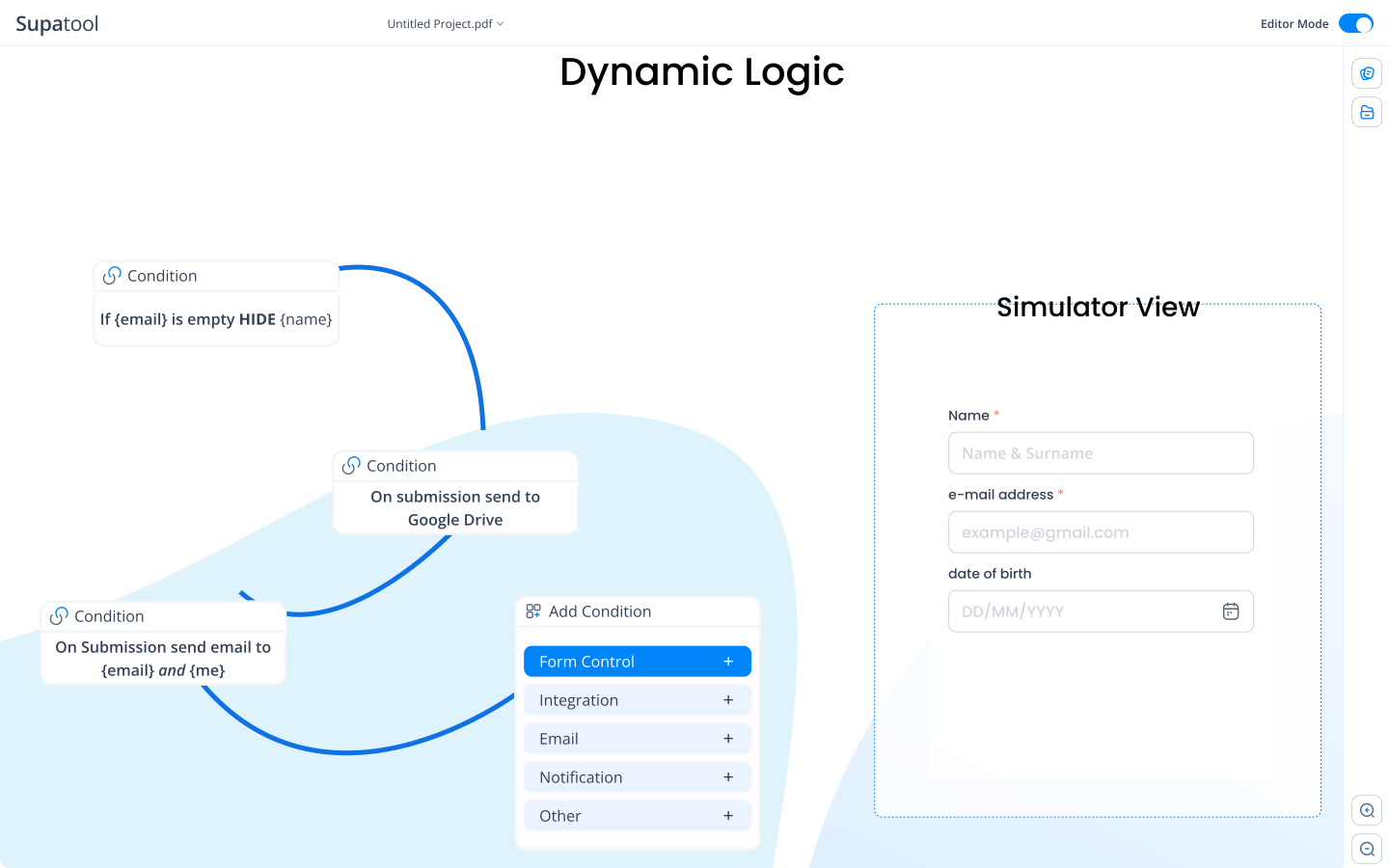
Dig deeper without annoying users. Show different follow-up questions based on the score they give. Ask Detractors what went wrong, and ask Promoters for a review.

  • Logic by Score Band
  • Open-ended feedback
  • Request testimonials
Conditional Logic Flow

Multi-channel Sharing & Alerts

Survey users where they are—email, web, or mobile. Set up instant email or Slack notifications for low scores so your team can intervene immediately.

  • Email, Link, Embed, QR
  • Detractor Alerts
  • Recurring Schedules
Sharing and Notifications

Dashboards & Trend Reports

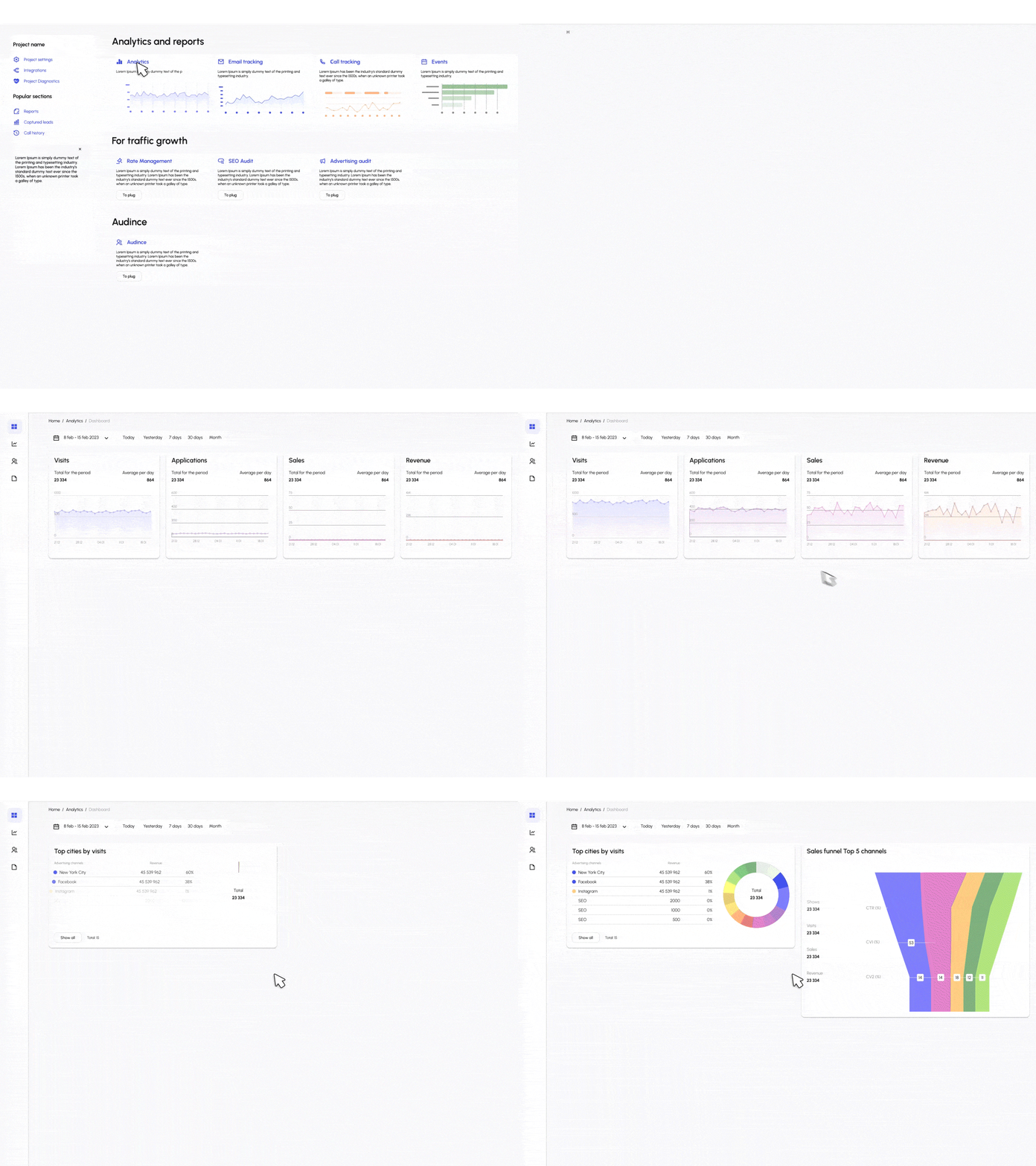
Track your CX performance over time. View trends to see if your score is improving. Filter by date, product, or customer segment to find insights.

  • Trend analysis lines
  • Sentiment word clouds
  • Response inbox & notes
NPS Dashboard

NPS Templates

Proven formats for every stage of the customer journey.

🛍️

Post-Purchase NPS

Triggered immediately after checkout to measure transactional experience.

📦

Product NPS

Focused on product satisfaction and specific feature usage.

👋

Onboarding NPS

Sent after a new user completes setup to gauge first impressions.

🎧

Support Ticket NPS

Sent after a support case is closed to rate the service resolution.

📅

Quarterly Relationship

A periodic check-in to measure overall brand sentiment and loyalty.

📱

Mobile App NPS

In-app survey to capture feedback from mobile users.

Close the Loop with Integrations

Sync feedback to your CRM and trigger workflows automatically.

Salesforce HubSpot Zendesk Slack Intercom Google Sheets

Simple Pricing

Start measuring loyalty for free.

Starter

$ 15 /month/user

Billed monthly

Ideal for freelancers, startups, and smaller teams

We only bill you for employees. Invite guests/clients for free.

  • Pay-per-user pricing
  • Unlimited projects
  • 500 GB storage space
  • 24/7/365 customer support
  • Purchase optional upgrades
  • Month-to-month billing
Popular

Business

$ 299 /month

Billed monthly

Top-of-the-line, all-inclusive fixed pricing. Best fit for fast growing businesses

Your whole organization for one fixed price. Every feature & upgrade.

  • Fixed price no per-user charges
  • Unlimited users
  • Unlimited projects
  • 5 terabytes storage space
  • Priority 24/7/365 customer support
  • Extended 60-day free trial

Enterprise

Custom

Billed monthly

Suitable for Enterprise solutions

Custom pricing for your organization's needs.

  • All Business Features
  • Unlimited custom domains
  • Unlimited storage
  • 99.99% Uptime SLA
  • SCIM Integration
  • Dedicated Account Manager

FAQ

Frequently asked questions

What is an NPS form builder and how does NPS work?

An NPS form builder is a tool designed to create surveys asking the 'ultimate question': 'How likely are you to recommend us to a friend or colleague?'. NPS (Net Promoter Score) works by grouping responses into Promoters (9-10), Passives (7-8), and Detractors (0-6) to give you a clear metric of customer loyalty.

How is NPS calculated (promoters, passives, detractors)?

NPS is calculated by subtracting the percentage of Detractors from the percentage of Promoters. The formula is: (Promoters % - Detractors %). Scores range from -100 (everyone is a detractor) to +100 (everyone is a promoter). Supatool calculates this automatically for you.

How do I add follow-up questions based on the NPS score?

With Supatool's conditional logic, you can easily set follow-up rules. For example, if a user scores 9-10, you can show a 'What did you love?' question. If they score 0-6, you can ask 'How can we improve?'. This ensures you get relevant context for every rating.

How do I distribute NPS (email, embed, link, QR) and track responses?

You can distribute your NPS survey via a direct link, a QR code for physical locations, an email invitation, or by embedding it directly on your website or in your app. Supatool tracks where each response comes from so you can analyze performance by channel.

How often should I run NPS and can I schedule recurring sends?

NPS is best run regularly to track trends. Common cadences are quarterly (Relationship NPS) or after specific interactions like a purchase or support ticket (Transactional NPS). Supatool allows you to schedule recurring email surveys so you can 'set and forget' your loyalty tracking.

Can I trigger alerts or workflows for low scores?

Yes! You can set up automation rules to notify your support or success team immediately via Slack, Email, or CRM when a 'Detractor' score (0-6) comes in. This allows you to close the loop and resolve issues quickly before they churn.

Can I segment NPS by product, plan, cohort, or region?

Absolutely. You can pass metadata (like Plan Type, User ID, Region) into the survey URL or form. Supatool's dashboard lets you filter and segment your NPS score by these properties to see if, for example, your Enterprise users are happier than your Free users.

Is the data anonymous, and can I capture respondent details if needed?

You have the choice. You can run anonymous surveys for unbiased feedback, or you can capture respondent details (Name, Email) automatically if sending via email campaigns or passing user data from your app.

What dashboards and reports are available (trends, cohorts, verbatims)?

Supatool provides a real-time NPS dashboard showing your current score, a trend line over time, and a breakdown of Promoters/Passives/Detractors. You can also view verbatim comments, word clouds, and sentiment analysis to understand the 'why' behind the score.

Is there a free plan and what are the limits?

Yes, Supatool offers a free plan that lets you create NPS surveys and collect responses. The free plan typically has limits on the number of responses per month, but it's perfect for small businesses or testing out the platform before scaling.

Launch Your NPS Program Today

Ready to improve customer loyalty?