Custom Client Portal
Build a secure, branded client portal in minutes. Share files, manage tickets, and collaborate with your clients in a professional, custom client portal.
Launch a secure hub in 6 simple steps.
Choose layout.
Add dashboards & docs.
Set client permissions.
Logo & custom domain.
Share secure link.
Monitor activity.
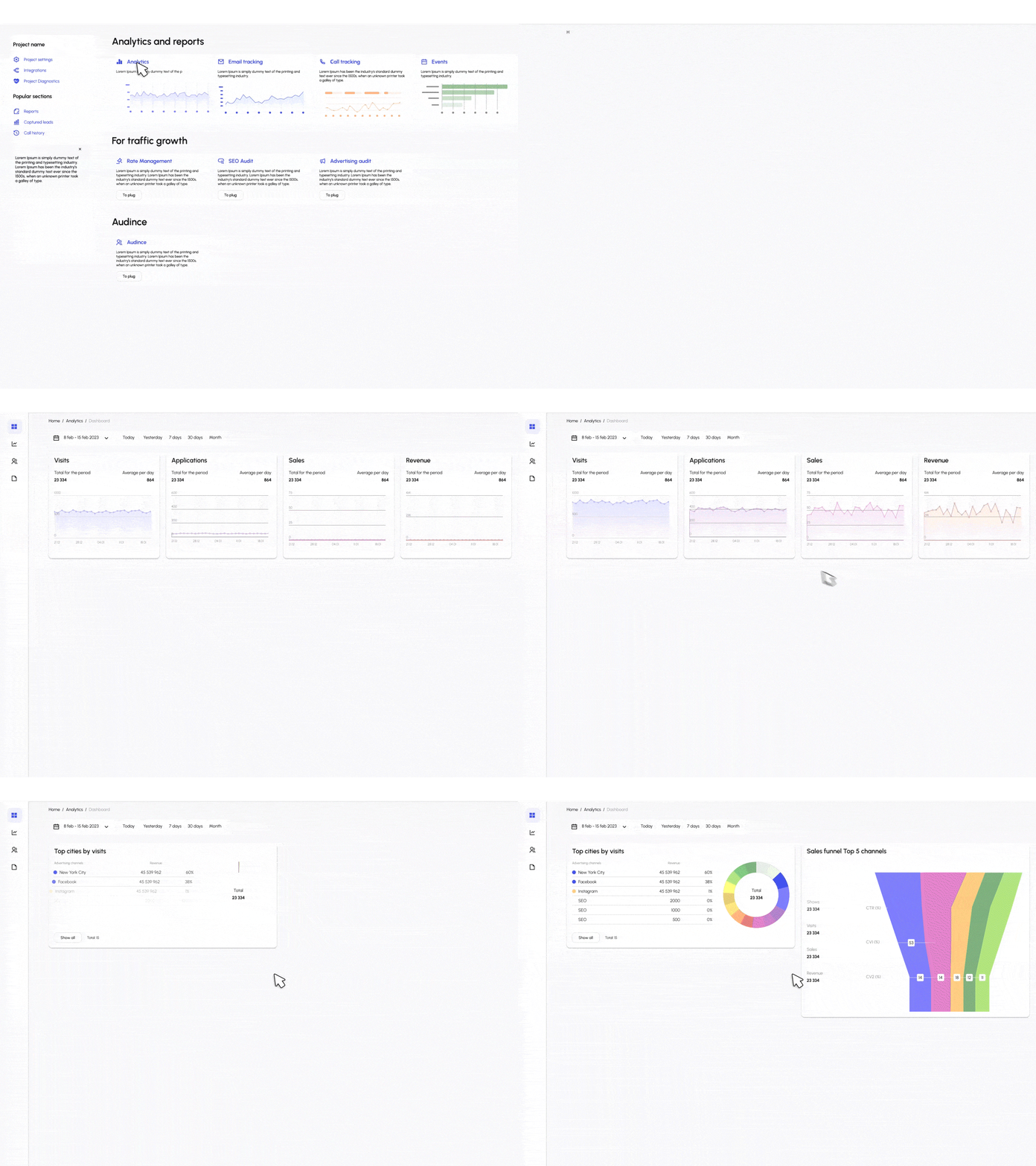
Secure collaboration tools designed for client success.
Keep data safe. Define strict roles for clients, employees, and admins. Ensure clients only see the files and projects relevant to them.
Stop the email chaos. Centralize communication with built-in messaging, comments on files, and a dedicated support ticket system directly inside the portal.
Get paid faster. Allow clients to view invoices, make payments securely, and approve estimates or contracts with e-signatures, all without leaving the portal.
Make it yours. Use your logo, colors, and a custom domain to provide a seamless brand experience. Track client engagement to see who is logging in and viewing files.
Ready-to-use layouts for your business.
Checklists, intake forms, and welcome docs.
Status updates, milestones, and file deliverables.
Ticket tracking, knowledge base, and FAQs.
Invoice history, payment methods, and receipts.
Resources and leads for channel partners.
Highly secure data room for sensitive documents.
Connect your portal to the tools that run your business.
Start your free client portal today.
$ 15 /month/user
Billed monthly
Ideal for freelancers, startups, and smaller teams
We only bill you for employees. Invite guests/clients for free.
$ 299 /month
Billed monthly
Top-of-the-line, all-inclusive fixed pricing. Best fit for fast growing businesses
Your whole organization for one fixed price. Every feature & upgrade.
Custom
Billed monthly
Suitable for Enterprise solutions
Custom pricing for your organization's needs.
Frequently asked questions
A client portal is a secure, private website used to collaborate with clients. It serves as a central hub where you can share documents, manage projects, track support tickets, and handle billing. Instead of getting lost in long email threads, both you and your client log in to a unified space to see the status of everything in real-time.
A simple practice client portal typically refers to a streamlined, easy-to-use interface for service-based businesses (like consultants, therapists, or agencies). It allows clients to perform essential tasks—like booking appointments, filling out intake forms, and viewing invoices—without unnecessary complexity or clutter.
A branded client portal is one that looks and feels like your own company's software. With Supatool, you can upload your logo, set your brand colors, and even host the portal on your own custom domain (e.g., portal.yourcompany.com). This builds trust and professionalism, as clients feel they are interacting directly with your brand rather than a third-party tool.
The best client portal is one that is secure, easy to set up, and flexible enough to match your workflow. Supatool is a top choice because it offers a no-code builder, meaning you can customize the portal to fit your exact needs—whether that's file sharing, messaging, or project tracking—without needing a developer.
Yes, security is the foundation of a good client portal. Supatool uses industry-standard encryption for data in transit and at rest. We facilitate secure login credentials for each user, role-based permissions to ensure clients only see their own data, and secure file storage integrations. It is significantly safer than sharing sensitive files via email attachments.
An example of a client portal usage would be a marketing agency working with a brand. The agency creates a portal where the brand's team can log in to view campaign reports, approve ad creatives, upload brand assets securely, and chat with the account manager—all in one place.
With Supatool, creating a portal is fast. 1. Sign up and choose a 'Client Portal' template. 2. Connect your data sources (like Google Drive for files or Stripe for invoices). 3. Customize the branding and layout using our drag-and-drop editor. 4. Set up permissions for what clients can see. 5. Invite your clients via email to log in.
The main purpose of a portal is to centralize and secure communication and resource sharing. It improves efficiency by giving clients self-service access to the information they need (like invoices or status updates), reducing the need for constant back-and-forth emails and phone calls, while keeping sensitive data protected.
Ready to impress your clients?